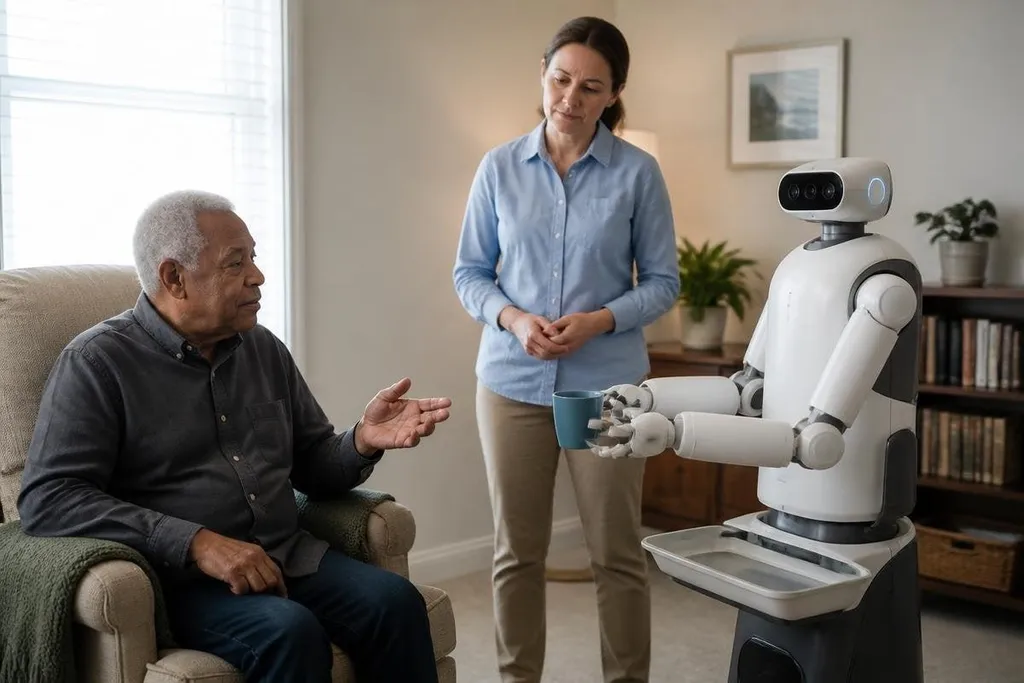
AI can help a caregiving robot hear a request, identify an object, and choose a safe next move. That changes what these machines may do at home or in care settings, but it doesn't remove the need for people, clear limits, or human judgment.
- AI can link speech, cameras, and sensors so a robot can respond to a person and the room around them.
- Care tasks need reliable handoffs when the robot cannot finish a job.
- Privacy, safety, and access to human help matter as much as the robot's software.
What AI adds to a caregiving robot
A basic robot follows fixed commands. An AI system can work with less rigid input, such as a spoken request that changes slightly each time. Speech recognition turns the request into text or intent, while cameras and other sensors help the robot check what is nearby.
That link matters because care tasks rarely happen in an empty, unchanged room. A person may ask for water while sitting in a different chair, or request help after an object falls. The robot needs to match the words with the person, object, and location before it moves.
AI can also help a robot plan several small actions. To bring a cup, it may need to find the cup, move around furniture, reach toward it, carry it, and return.
Each action still depends on the robot's motors, gripper, battery, and safety controls. Better software can't make a weak arm lift more weight.
Personal settings add another layer. A system may store preferred wake-up times, medication reminders, room names, or ways to phrase alerts. Those settings can reduce repeated instructions, but they also create records about a person's habits and health.
Where the limits remain
Caregiving involves touch, trust, and judgment. A robot may notice that someone has fallen if its sensors can see the person, but that doesn't prove the person is hurt. It may ask a question or call a caregiver, yet a human still needs to decide what happens next.
Physical work brings a separate risk. A robot that carries objects near a person must detect hands, feet, furniture, pets, and loose items. Its software needs a safe response when a sensor loses sight of the room or a motor stops. A demonstration in a clear space says little about a crowded home.
Speech can fail too. Background noise, accents, illness, and changes in a person's voice can affect recognition. A good system needs another way to confirm a request, such as a button, tablet, or call to a human caregiver.
Privacy needs a rule before installation. Cameras and microphones may collect data while the robot waits, so ask what it stores, where it goes, who can view it, and how to delete it. When you read Robot 24, check whether the report names the robot, care setting, and data policy; those details show what staff and families must manage after the machine arrives.
The work changes before the robot does
AI may take over small tasks, but care teams still need to set goals and check results. That can mean choosing which rooms the robot may enter, deciding when it should stop, and writing the steps for a human handoff.
The handoff is easy to overlook. If a robot cannot find an item, understand a request, or reach a person, it should state the problem and contact someone through a defined channel. A silent failure is harder to spot than a clear alert.
I'd keep the robot's first job narrow and measurable. A reminder system or telepresence robot has a smaller safety burden than a machine asked to lift a person, and a limited trial gives caregivers time to find failures before wider use.
A practical buying checklist
Use these questions before a care provider brings an AI robot into a home or facility:
- Name the task: Write down the exact job, such as room-to-room reminders or video calls.
- Set the stop rule: Decide when the robot must pause and ask for human help.
- Check the body: Confirm its reach, payload, battery life, charging method, and ability to move through the space.
- Test the room: Include noise, low light, rugs, narrow paths, pets, and people moving nearby.
- Review the data: Ask what the cameras and microphones record, how long records stay, and who can access them.
- Plan failure contact: Give caregivers a clear alert method and a response time for missed tasks.
The next useful test is simple: run the robot through one repeated care task for several weeks, record every handoff and failure, and compare that record with the human time it was meant to save. That result will say more than a smooth demonstration.